Computer crash while typing up uploading
-

ekrubynaffit
I was pretty much writing a book to go with my upload and then everything froze and then went bonkers. I did notice that it kept flashing saving as I was typing, is there anyway to get it back and if so from where?
karen lorraine
Re: Computer crash while typing up uploading
is it in your saved drafts?
LadyAngel
Re: Computer crash while typing up uploading
There would have been if you hadn’t made this post 🙁 The editor only restores the very last one you were working on, sorry!
ekrubynaffit
Re: Computer crash while typing up uploading
Hmmmm unmake this post lol!!! Oh well thats a lesson learnt and good to file away! For future reference, where is saved drafts, I could not find it!
LadyAngel
Re: Computer crash while typing up uploading
If you mean in the downloads section, it’s under the ‘My Stuff’ menu:
karen lorraine
Re: Computer crash while typing up uploading
I quite often type my text into a word doc first and then copy and paste into the text box. Then you only lose the edits you make in the text box.
ekrubynaffit
Re: Computer crash while typing up uploading
Thanks Lady Angel, and Karen, thats a genius idea!!
LadyAngel
Re: Computer crash while typing up uploading
On this note, you can also restore the last post you were working on by clicking the restore button at the bottom-left of the posting box. It’s saved every 60 seconds and can be restored unless you begin to make a new post, in which case it will be lost.
Not sure if this works in our downloads and tutorials sections, but you can still save those using the save to drafts option before submitting.
LadyAngel
As we have moved the site to use new software, we are working on a way for members to save their uploads and tutorials as drafts. Watch this space!
LadyAngel
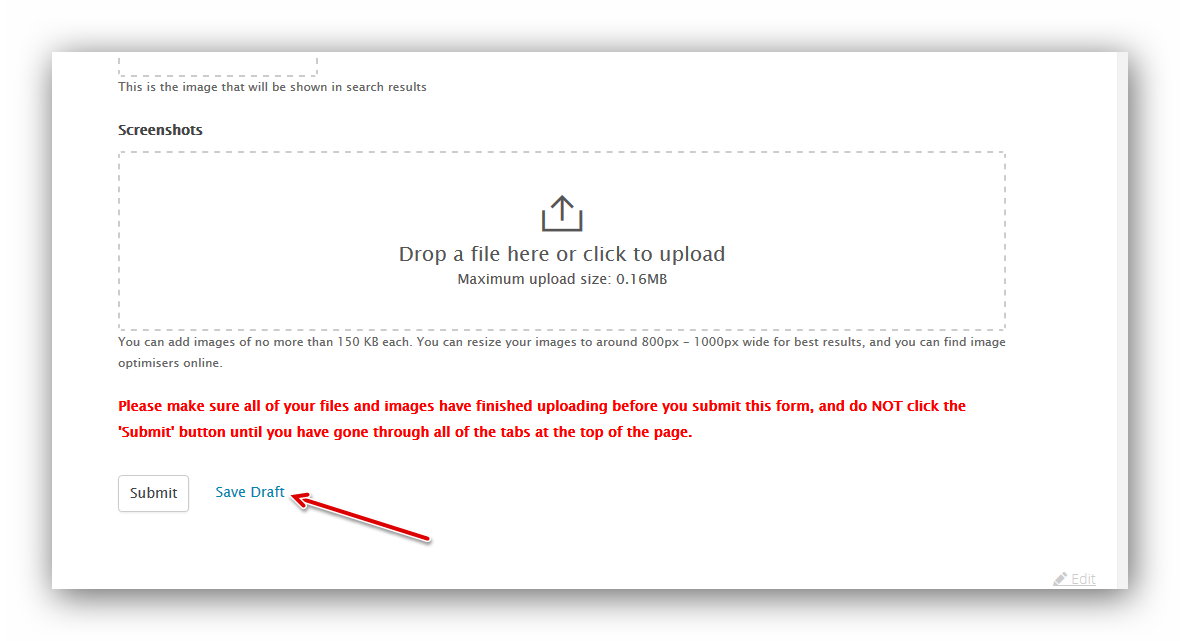
You can now save your uploads, tutorials and blot posts as drafts. Just use the link at the bottom of the form for whichever you are submitting:
You can then access your draft posts from your account menu at the top of the page:
Attachments:
You must be logged in to access attached files.
- You must be logged in to reply to this topic.
 ekrubynaffit
 karen lorraine




 LadyAngel.
Recent Comments