
Home › Forums › Members › Contests & Challenges › November 2013 Challenge
- This topic has 39 replies, 5 voices, and was last updated 12 years, 3 months ago by
 LadyAngel.
 LadyAngel.
-
AuthorPosts
-
November 5, 2013 at 2:39 pm #4835LadyAngelKeymaster
Re: November 2013 Challenge
Well I don’t really know what I’m doing with image maps I haven’t created, so me too! lol
November 5, 2013 at 5:56 pm #4837LadyAngelKeymasterRe: November 2013 Challenge
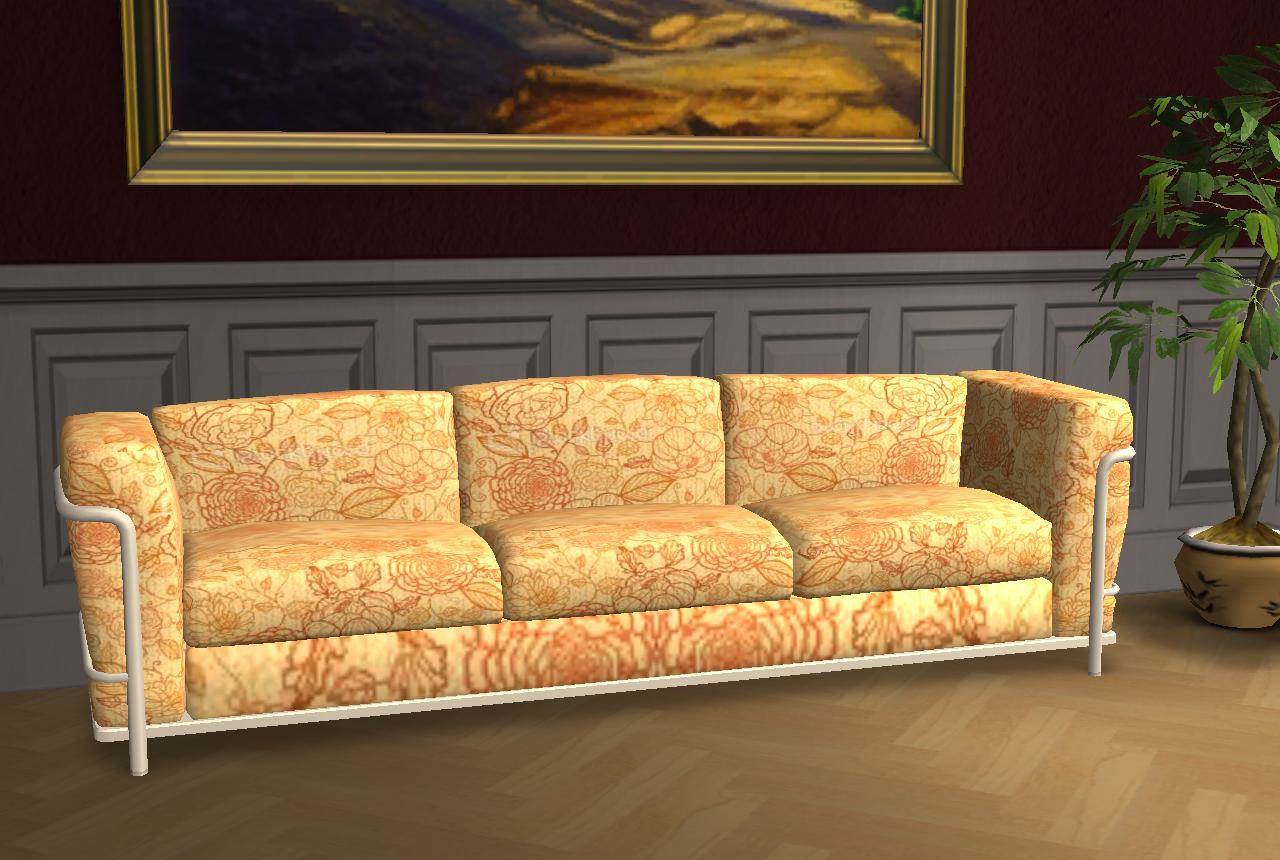
This is what the texture image for that sofa looks like – I can’t for the life of me see where the bottom of the sofa would be!
November 5, 2013 at 6:01 pm #4838karen lorraine
Re: November 2013 Challenge
Think it might be trial and error? Recolour a bit at a time in different colours and see where it all goes? That’s what I would do. Then note it down for the next time.
November 5, 2013 at 6:44 pm #4839ekrubynaffit
Re: November 2013 Challenge
Thanks Angela, I think I have done this tute of yours once before, and was so chuffed to get my recolour going, and so surprised at how easy it was!! Once Ive finished my ranch (today I hope) will have a good look at it!
November 5, 2013 at 7:36 pm #4840CheekyBugga
Re: November 2013 Challenge
Well Mrs A if your Daft then I am a 1/3 Daft cause I like pic 3 and pic 4 😀 and yep I agree looking at that map you cant tell Artha from Martha lol 😉
November 6, 2013 at 8:10 am #4841ekrubynaffit
Re: November 2013 Challenge
Ok dumb question, how do you bucket fill it?? Ive just making the texture 512×512 and pasting over top, which does recolour it, but gives me big prints, and I want nice lil dainty ones!!
November 6, 2013 at 8:11 am #4842LadyAngelKeymasterRe: November 2013 Challenge
Are you using Gimp?
November 6, 2013 at 8:12 am #4843ekrubynaffit
Re: November 2013 Challenge
No paint.net, could never get my head round gimp! But will if I have to lol!
November 6, 2013 at 8:13 am #4844LadyAngelKeymasterRe: November 2013 Challenge
Never used Paint, but here’s an extract from my Gimp tutorial:
Another way to re-colour is to use a texture, or pattern. You can use any seamless image you want. We have an extensive list of websites where you can find such images:
https://www.simfansuk.com/sims/thread…light=seamlessStill with your image open, open up a seamiless image in Gimp. ‘Select/All’, then ‘Edit/Copy’ to copy the image to your clipboard:
Note – you can make the image smaller for a smaller pattern.
Now, click the bucket fill tool. Make sure the pattern fill and fill whole selection buttons are clicked. Then select your pattern. Your clipboard selection will be at the top-left of the pattern selector:
Click anywhere on the image to fill it in with the pattern. Click ‘File/Export’ from the top menu to save your texture image. This can be imported into Wizards the same way.
November 6, 2013 at 8:15 am #4845ekrubynaffit
Re: November 2013 Challenge
ok will just dl gimp and then have a go, thanks Angela 🙂
November 6, 2013 at 8:16 am #4846LadyAngelKeymasterRe: November 2013 Challenge
No problem. Just let me know if you have any questions. Good luck! 🙂
November 6, 2013 at 8:36 am #4847ekrubynaffit
Re: November 2013 Challenge
Looking alot better, think I just need to make the image smaller and will get what I want! Thanks 😀
November 6, 2013 at 9:25 am #4848ekrubynaffit
Re: November 2013 Challenge
For my first go they are far from perfect!! Somehow I ended up with all textures with pink in them, must be ina pink mood!
And I dont like how the bit on the base of the couch goes, is there someway to make that look better?
November 6, 2013 at 9:43 am #4849LadyAngelKeymasterRe: November 2013 Challenge
Tiff, you’ve done really well – any successful recolour is a fantastic accomplishment! Karen and I were just on about the texture image – there doesn’t seem to be an easy way to tell which part of the image is the bottom part of the sofa, so it may just be a matter of trial and error until we get it right. This doesn’t seem to be the best sofa to recolour, sorry. 🙁
November 6, 2013 at 9:50 am #4850ekrubynaffit
Re: November 2013 Challenge
I wondered if it was that patch that was a bit darker, and if you recolour just that part first, and then do the rest, no idea if thats even possible, just a thought!
-
AuthorPosts

 karen lorraine
 ekrubynaffit
 CheekyBugga


- The topic ‘November 2013 Challenge’ is closed to new replies.
Recent Comments