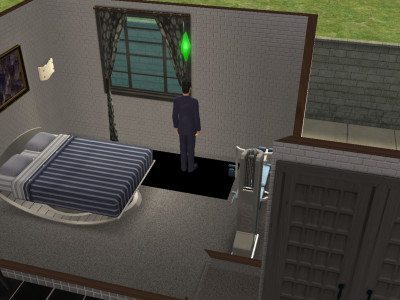
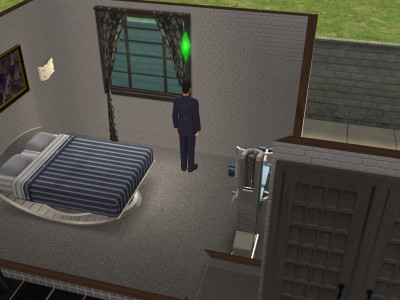
If you are using Windows 10 and/or a graphics card that is not, quite compatible with the Sims 2, you may find that your sims have black, square shadows beneath them:

To rectify this, simply open up the cheats console (CTRL + SHIFT + C) and add the following:
boolProp simShadows false
You can also try modifying the graphics settings so the shadows are set to medium.
If you are using Sims 2 Ultimate Edition you can utilise a more permanent solution. Go to:
C:Program Files (x86)Origin GamesThe Sims 2 Ultimate CollectionFun with PetsSP9TSDataResConfig
Edit the Graphics Rules.sgr file. Find the three instances of ‘boolProp simShadows true’ and change the ‘true’ to ‘false’.
If you just have the normal Sims 2 game installed, find your latest pack’s TSData/Res/Config folder and do the same.
Attachments:
You must be logged in to access attached files.



 LadyAngel.
Recent Comments